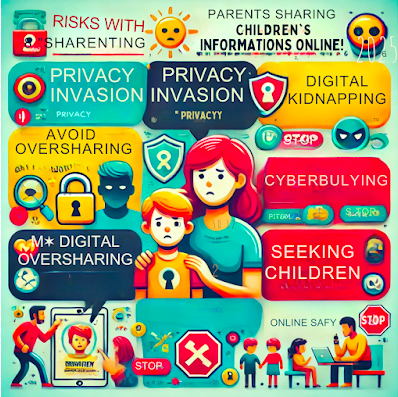
We all love capturing first steps, birthday cakes, and family vacations online—but did you know that every photo you share can become a digital breadcrumb leading back to your child? Oversharing, or “sharenting,” puts family privacy, safety, and digital footprints at risk. In this post, we’ll explore why less is often more, and share five concrete strategies to keep your precious memories both joyful and secure.
1. Audit Your Audience Settings
Before posting, always confirm who can see your content.
- Facebook: Use Custom Audience to exclude “Public” and add only “Friends” or specific lists.
- Instagram: Switch your account to Private and approve followers one by one.
- Blog/Blogger: Adjust post visibility to “private” or “password-protected” for sensitive content.
✅ Pro tip: Create a “Family” friend list on Facebook and Instagram for sharing anything that reveals personal details.
For more on device metadata, see our Password Hygiene guide.2. Remove Geotags & Metadata
Camera and smartphone photos often embed GPS coordinates and device info.
- On iOS: Settings > Privacy & Security > Location Services > Camera > Never.
- On Android: Open photo in Gallery > Info > toggle off “Location.”
- Batch-strip metadata using free tools like ExifClean or online EXIF removers.
✅ Stripping embedded data stops apps and bad actors from mapping your home, school, or favorite parks.
3. Share Highlights, Not Full Albums
Instead of posting every photo, consider curated highlight reels.
- Create a once-a-week “Family Snapshot” featuring 3–5 photos or a single collage.
- Use encrypted photo-sharing apps like Signal or private Google Photos albums for extended family only.
- Encourage loved ones to view via these secure channels instead of public social feeds.
✅ This approach cuts down excessive sharing and keeps most personal content off public platforms.
4. Educate Your Kids About Their Digital Footprint
Children should understand their online presence too.
- Explain that once a photo is online, control is lost forever.
- Review shared images together and discuss what’s appropriate.
- Encourage them to ask permission before you post pictures of them.
✅ Involving kids fosters trust and teaches long-term digital responsibility.
For more on device metadata, see our Password Hygiene guide.5. Use Alternative Keepsakes
Not every memory needs to be shared online.
- Print physical photo albums or create custom scrapbooks.
- Record voice memos or handwritten letters in a family binder.
- Host an annual “Family Movie Night” to watch private slideshows offline.
✅ Alternative keepsakes preserve memories without exposing them to the internet’s risks.
Ensuring Family Photo Privacy & Online Family Privacy
As part of your overall digital parenting strategy, it’s critical to understand the risks of oversharing. These sharenting safety tips will help you maintain true online family privacy and safeguard your family photo privacy, all while protecting children’s privacy in every post:
- Limit Metadata – Always strip geotags to avoid location leaks.
- Curate Your Audience – Use private groups or custom friend lists.
- Educate Your Kids – Teach them why their photos must stay private.
- Use Alternative Keepsakes – Opt for offline albums or secure shared folders.
Key Takeaways
- Sharenting safety tips start with private audiences, not public.
- Stripping metadata is a core sharenting safety tip.
- …
Related Resources
- Understanding the Risks of Sharenting (Blogger)
- 10 Tips to Protect Your Family’s Online Privacy (Blogger)
- The Ultimate Guide to Protecting Your Kids Online (WP)
- Avoid Deepfake Scams: Protect Yourself from AI Fraud (WP)
📥 Download your free “9 Essential Steps to Safeguard Your Family’s Social Media Presence” guide and take action today:
✅ Ready to take the next step? Grab the full book: Keeping Families Safe on Social Media — on Amazon or Gumroad.